Check-In time is 3pm; you can however drop off your luggage as early as 12am. Please be aware that the appartement might not be cleaned by then.
Check-Out time is strictly 11 am. We do need to have the apartement back by then to get everything ready for someone else’s adventure.

Wifi / Internet Details
Our apartement has a high speed fibre optic cable connection with 250 Mbps download and 50 Mbps upload speed. The wifi details are written on the wifi box in the living room and on the fridge in the kitchen.
The service is provided for your enjoyment but you are responsible for safe and appropriate use and complying with all laws. If there is any loss of service, try resetting the router (located to the left of the TV in the living room) by switching it on and off at the wall, if this does not work then please contact us on Airbnb or +44 7564 397262 (Andy).
Central Heating
The heating is controlled using the Honeywell thermostat on the shelf in the hallway. Simply use the up and down arrows to set your desired Temperatur. The boiler is located in the pantry in the kitchen, you should not need to make any adjustments to this.
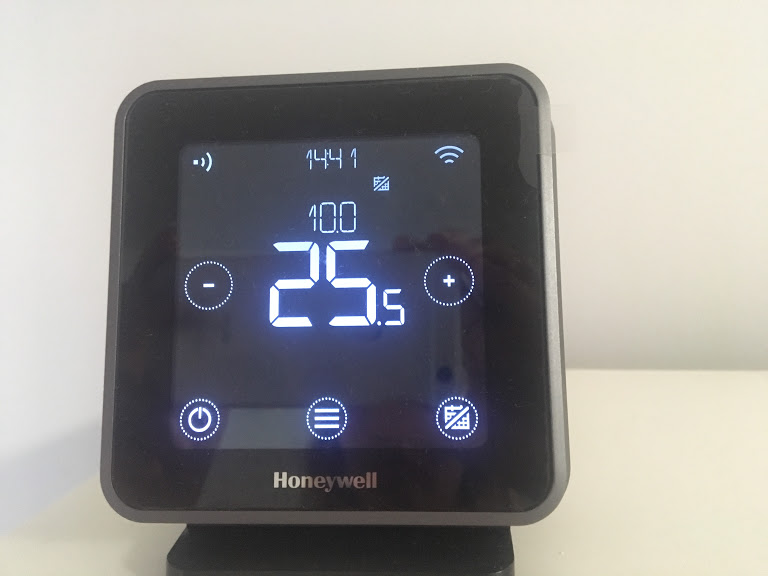
Please also ensure all individual radiators are turned up fully at the valve. If there is no heating or hot water, please call us either on 07564397262 (Andy) or 07821544835 (Laura). If you can’t reach us please leave a voicemail and we will contact you ASAP.
Please be mindful when setting a temperature – especially with open windows – as energy is a valuable resource. The Thermostat is running on a program to remain a constant temperature in the apartment. There shouldn’t be a need to readjust the temperature.
Kitchen & Appliances
The Fridge/freezer: You should not need to adjust any settings. If you run into any difficulties (e.g. it’s not cooling efficiently) please let us know.
The Hob: Choose which hob you want to use out of the eight dials. Press the dial down while turning and press the ignite button to the far right. Hold the dial down for a few seconds before letting go.
To use the oven, just turn the appropriate dials as the oven element is electric, unlike the gas hob.
Kettle: Make sure it is plugged in and the isolator switch for the plug is switched on. Then press the switch at the back of the kettle down, the light indicates when it is on.
Toaster: The toaster is straightforward to use, simply slide the lever down to activate it.
LAUNDRY FACILITIES
Washing machine: Located in the pantry in the kitchen. Before using, press the button on the pump unit for a few seconds (located to the left of the machine, on the floor). Turn the dial to select your desired programme and then press the ‘Start’ button. We do not provide detergent as a standard, due to everyone having their own preferences, allergies etc. It can be bought at the nearest supermarket.
Drying rack/Iron/Ironing board: Located in the pantry in the kitchen.
Television
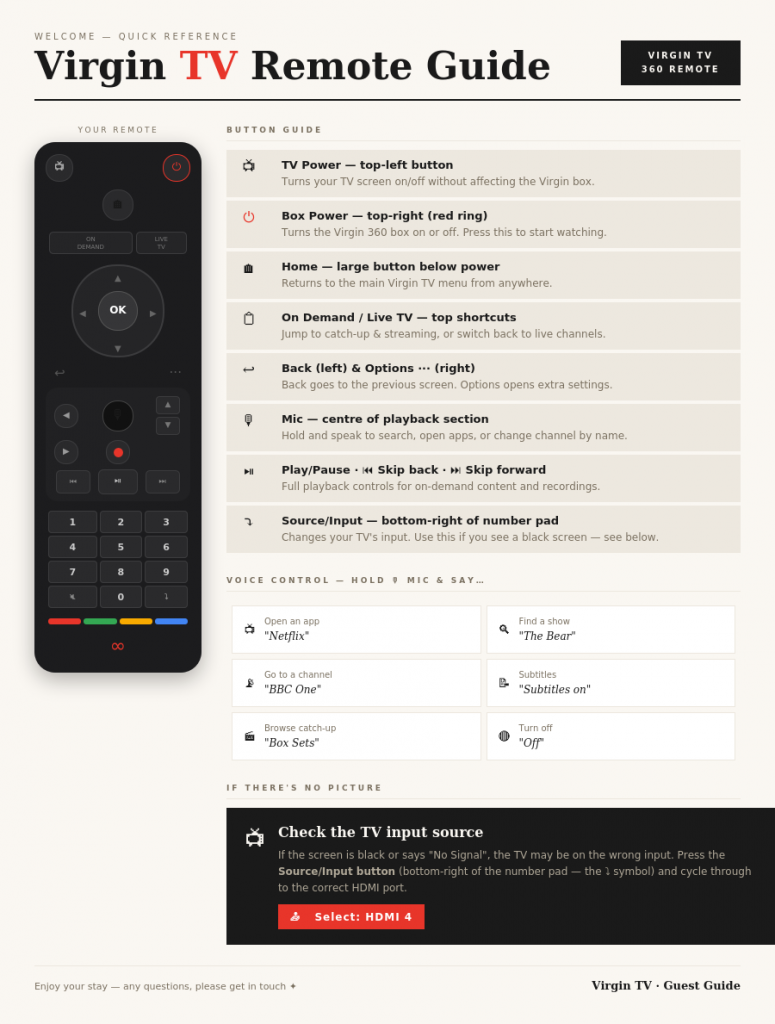
Use the Samsung remote to turn the TV on. Source should be HDMI 4 (press source button).Then use the Virgin Media remote watch TV.
Shower
Breakage
We understand that sometimes accidents happen! Should you break anything please let us know immediately – if it’s minor we usually won’t charge. If it’s a larger issue (e.g. the TV screen!) we would like to agree the cost with you before you leave to avoid any issues later, this is processed through the resolution centre in Airbnb. Thank you!